 Nostos
 If you forget an article's title, first establish whether it reached your current reading library. Then narrow the search using details you still remember: an author, place, product or phrase. Open candidate passages and their sources before deciding that the first result is the article you wanted.
Was it saved, or only read?
An article you visited in a browser, or bookmarked inside its original platform, is not necessarily in Nostos. Check that platform's saved list or your browser history first. Explicitly save useful material into your library for future retrieval. Nostos does not automatically inspect every app's favorites or your browsing history.
If you saved it on a computer but cannot find it on your phone, check the extension's destination and upload state. Use the cross-device troubleshooting guide to establish that both devices use the matching library. A search cannot retrieve an item that has not reached that library.
Turn a vague memory into checkable clues
Separate details you definitely remember from guesses. There is no need to reorganize the whole library first.
| Clue | Try this | What it does not establish |
|---|---|---|
| A distinctive name | Search the product, place or organization | That the word was in the title |
| The argument | Try a concrete word you know the author used | That keyword search understands every paraphrase |
| A picture | Search likely nearby wording, then inspect candidate images | That every image contains searchable text |
| The source platform | Use it to check candidate source links | That every result from that platform is the same article |
For example, you remember an e-reader comparison discussing “annotations” but not the brand. Search that term, then verify the device and author in the body. If the author used “highlights,” try that word separately. This illustrates a strategy, not measured results or a guarantee that both terms match.
Change one clue at a time
Open Search in Nostos and start with one distinctive word. Add another remembered detail when results are too broad. If nothing matches, remove uncertain restrictions and try a word you are confident appeared in the text. Avoid changing the query, account, destination and sync settings together: that makes the cause difficult to identify.
For each candidate, ask three questions: does it address the same problem, does the surrounding passage contain the example you remember, and does the original link belong to the expected author or source? Similar titles can belong to different articles with different conclusions.
An item exists, but its contents do not match
Open the suspected item. A record containing only a title and link may not have a searchable article body. If the words were in an image, check whether recognized text is actually available. See searching saved page content for a controlled capture-and-search check.
When your available features and access permit cloud Ask, describing the remembered topic can help explore your saved material. Verify any answer against its cited items. AI cannot establish a passage that was never acquired, and it does not guarantee that the intended article ranks first.
Recover something you actually saved
“Weekend desk notes” below is an original example we saved through Add Memory → Write Something in Nostos. We then opened Search from Organize and entered the body word prismquartz. The saved record appeared; opening it showed the original text containing that word.
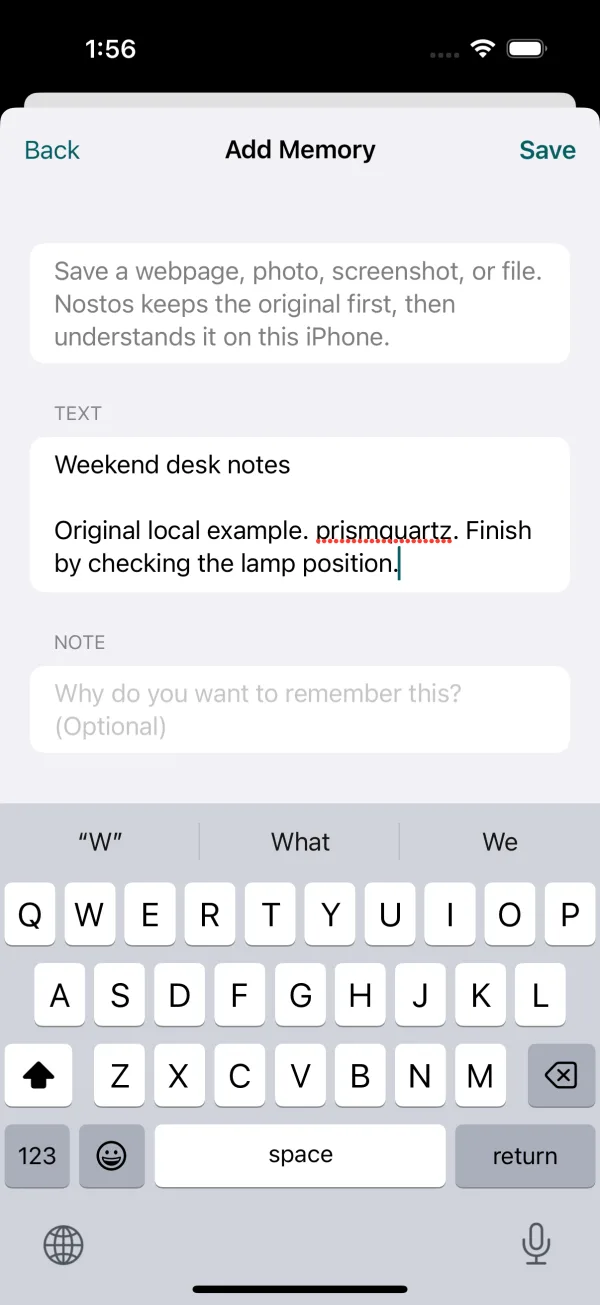
Actual app UI on an iOS simulator with original example data, not private user content.
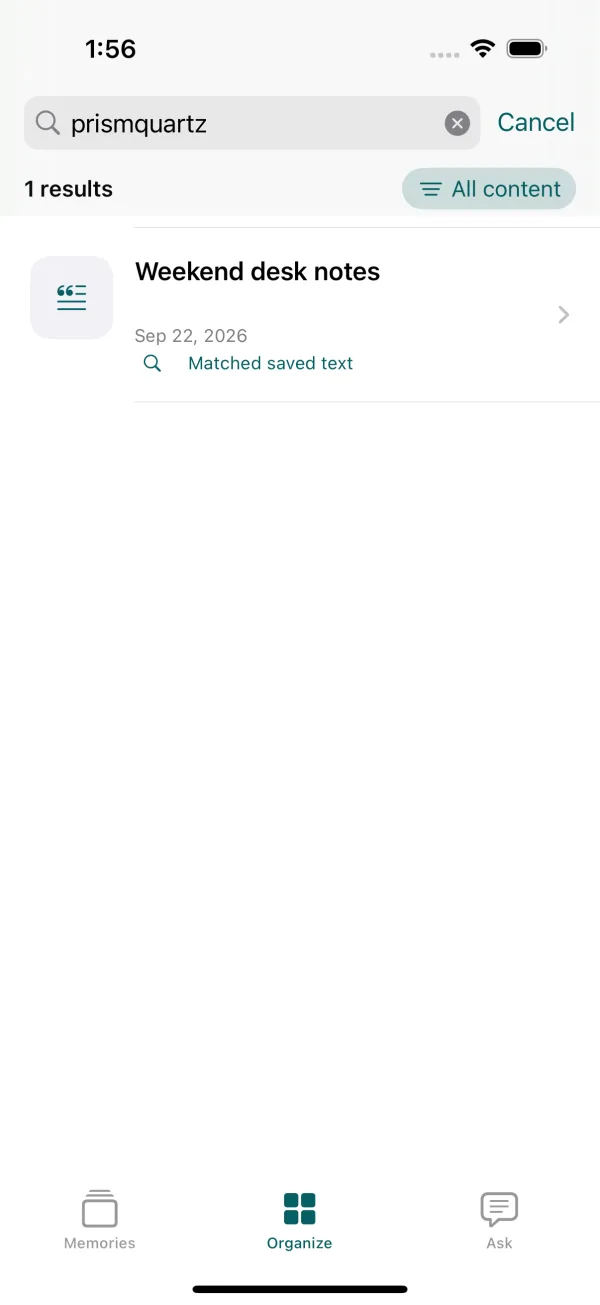
The actual search result. This example is saved text, not a webpage or RedNote import.
After quitting and reopening the app, the same query still found the record. Searching for the unsaved word missingcobalt returned no match. Try the same sequence with a detail you remember, then open the result to verify it. These screenshots use the current development build; the store version's interface may differ.
Make the recovered item useful next time
Keep its original link and verify that the saved body contains the point you need. For material you revisit often, use the tags or spaces available in your app. Organization can help without becoming a prerequisite for capture. If you remain stuck, tell support which definite terms you tried, whether the item exists and which destination you used; private article text is unnecessary.