 Nostos
 Save the original WeChat Official Account article link to Nostos so you can return to it in your reading library. Check the body and images separately: a title, cover or URL alone does not mean the complete article is stored on your device.
Choose a capture entry
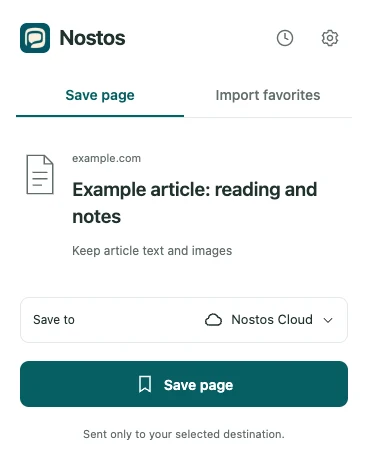
Actual extension UI with example data. Identifies controls; does not demonstrate successful source capture or upload.
On your phone: open the article menu and copy its original link. Use Paste link when adding content in Nostos, confirm the intended article, and save. If Nostos is available in the system share sheet, share the link directly. WeChat menu positions vary by version; use the visible copy-link or share action.
Already reading in a desktop browser: open the specific article, then choose Save page in the Nostos extension. This route reads available content from the current page. An access error or verification screen is not the article.
Four checks for one article
- Compare its first and last paragraphs with the original; an opening abstract alone is not the body.
- Pick an image in the middle and check it in the reading view. A cover does not prove inline images were saved.
- Open the source link and confirm the same article, not an account homepage.
- For offline use, load it online, disconnect, and reopen that specific item to check text and images.
Use an article you can access. This procedure needs neither chat-history imports nor disclosure of WeChat credentials.
Retry or preserve the link?
| Source state | Appropriate action |
|---|---|
| Source opens, processing is pending | Wait for completion; after a failure, try Parse Again |
| Source opens, some images are missing | Inspect attachment status and, if needed, save the accessible source again |
| Verification or access restriction | Resolve source access before retrying |
| Article deleted | Keep previously acquired content and its link; missing text is not guaranteed recoverable |
Compare the general article checks; inline images deserve particular attention with WeChat articles.
Find it alongside other sources
Search for words or title fragments you remember to revisit saved articles from different sources. Check the original context first. Cloud AI features have separate access and consent requirements.
Is there a WeChat forwarding bot?
This guide describes sharing or saving a link, not a Nostos forwarding bot or a full chat-history import. For cross-device reading, see Chrome to iPhone.
Before a trip, run the offline text and image checks on the device you will use.